PoolParty's SPARQL Shell
21/11/2025
With PoolParty 10.0.0, the SPARQL shell in the PoolParty Endpoint has been removed. This functionality is now covered by the GraphDB Workbench.
The data created by PoolParty is stored in a number of RDF repositories, stored in a graph database.
Graph Modeling 10.0 and subsequent versions utilize an externalized GraphDB instance for all project and system repositories. This architectural change allows for independent scaling, high-availability setups, and decoupled maintenance of the GraphDB component. Refer to the GraphDB documentation for more information on your externalized GraphDB instance.
To view the GraphDB repositories storing your Graph Modeling data:
Open your web browser and navigate to the URL of your external GraphDB instance, typically:
http(s)://your-server.com/graphdb/. Login with your credentials to access GraphDB.Note
Your GraphDB instance may not be automatically accessible via the standard path
http(s)://your-server.com/graphdb/on all server configurations. If you require access to the GraphDB Workbench to utilize the SPARQL shell, please request it explicitly from your Graphwise representative. Credentials will be provided to you upon request.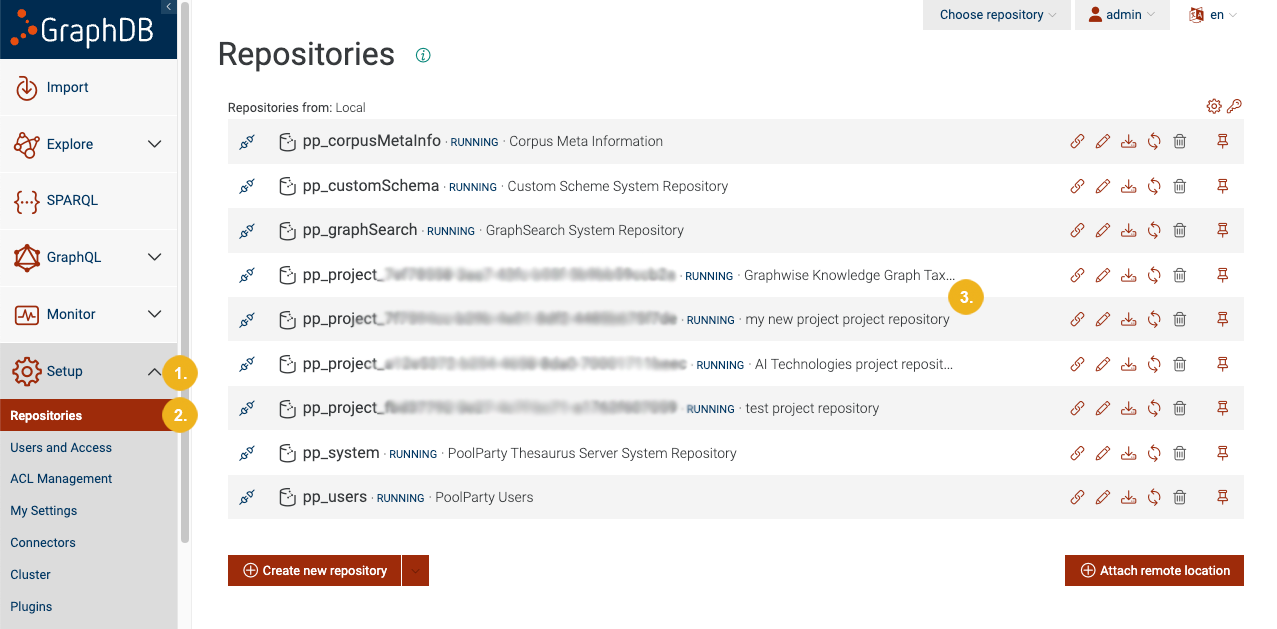
Go to the Setup tab (1) on the left navigation bar
Within the Setup tab, click the Repositories sub-tab (2)
Tip
Individual project repositories are identifiable by their project titles (3) located next to the project UUID. If the title is not visible, try resizing the window or reducing the browser zoom level.
To access the SPARQL shell for a PoolParty project:
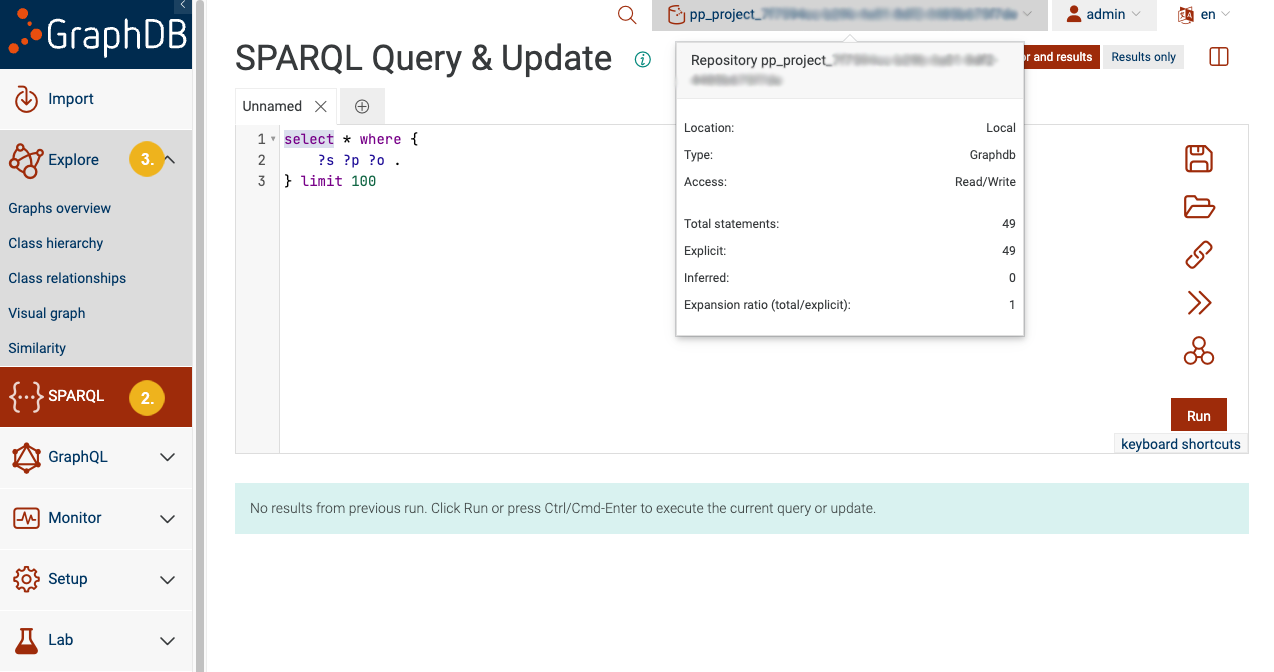
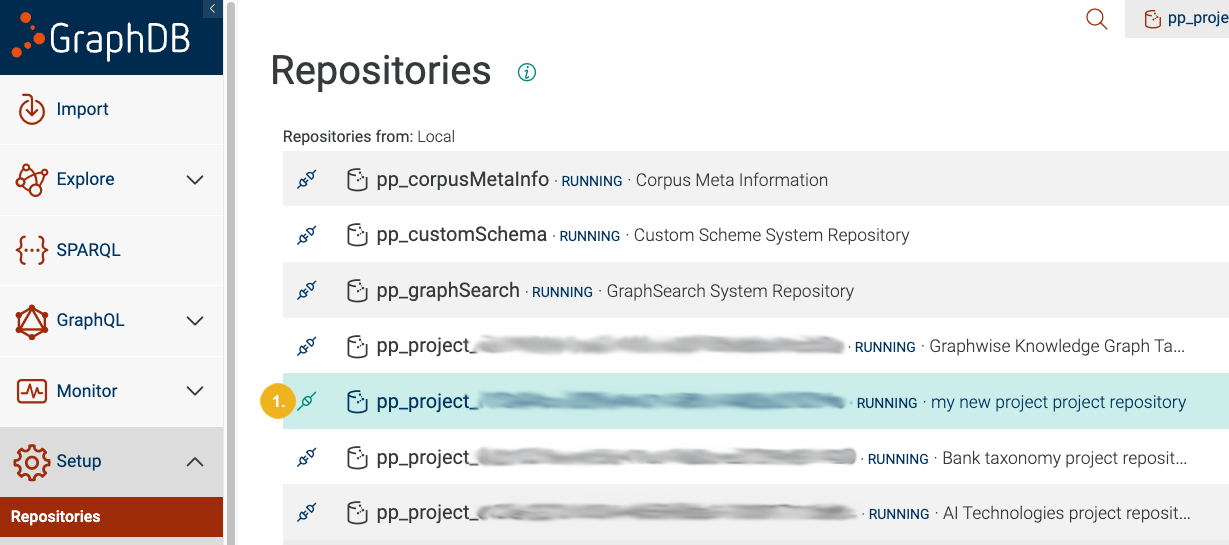
After locating your GraphDB repository, click the Connect repository icon (1) on the left side of the project you wish to use
Click on the SPARQL tab (2) on the left navigation bar to open the SPARQL editor
Tip
The GraphDB Workbench also provides convenient visual navigation of the graphs, classes, and properties in your project. You can find them under the Explore tab (3) on the navigation bar on the left.