Verifying the Connection between Graph Modeling and the Azure Portal
23/06/2026
After you have configured a function app, you can use the GetVersion and GetWebsite functions to test whether the Graph Modeling server is up and running and whether Graphwise for SharePoint can access it.
In the Azure portal, navigate to your function app.
Depending on whether you use one or both of the Tagging and Term Store Synchronization modules, you might have access to one or two function apps.
On the function app's Overview page, Select the
GetVersionorGetWebsitefunction.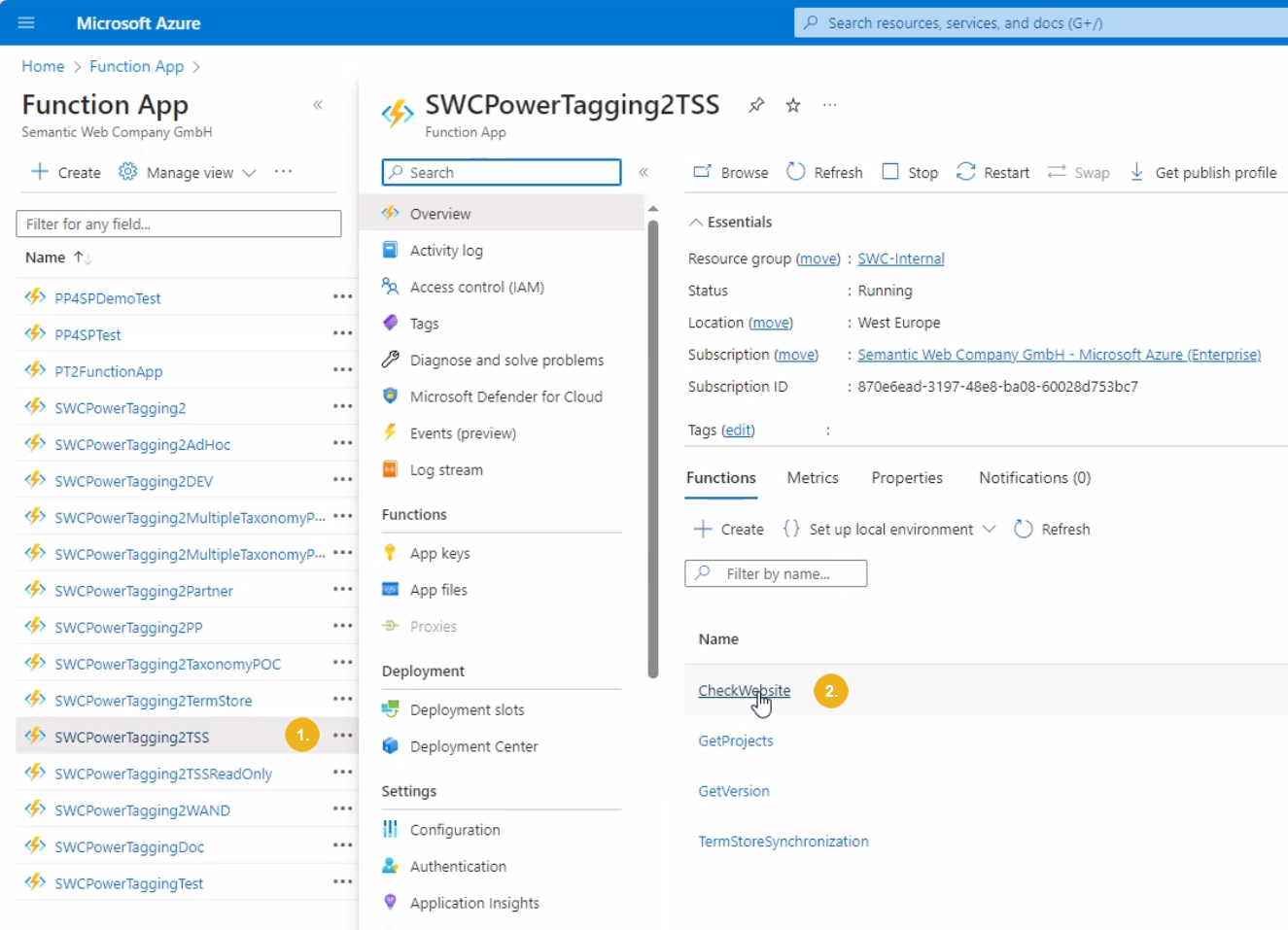
The function's Overview page opens.
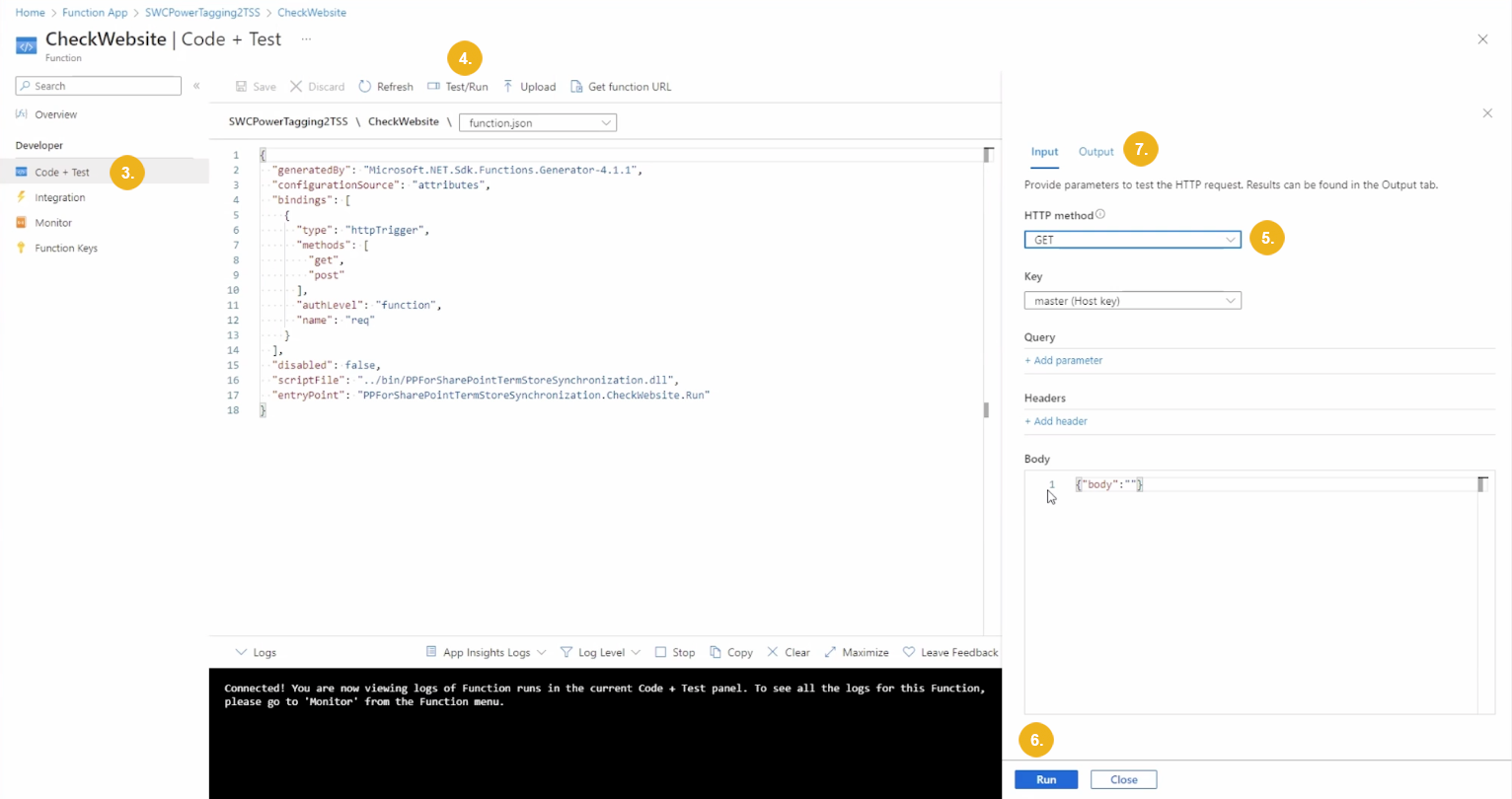
Select Code + Test.
Select Test/Run.
If you selected the GetWebsite function in step 2, go to the Input tab and select GET as an HTTP method.
If you selected the GetWebsite function in step 2, confirm the test settings with Run.
Go to the Output tab and inspect the test output.
A successful HTTP call returns a
200 OKresponse code and the Graph Modeling version (e.g.9.1.1) for theGetVersionfunction or HTML as a response content for theGetWebsitefunction.