Configure Site Permissions
11/06/2026
Graphwise for SharePoint can only auto-tag site contents if the Graphwise for SharePoint Administration application has write access to the site.
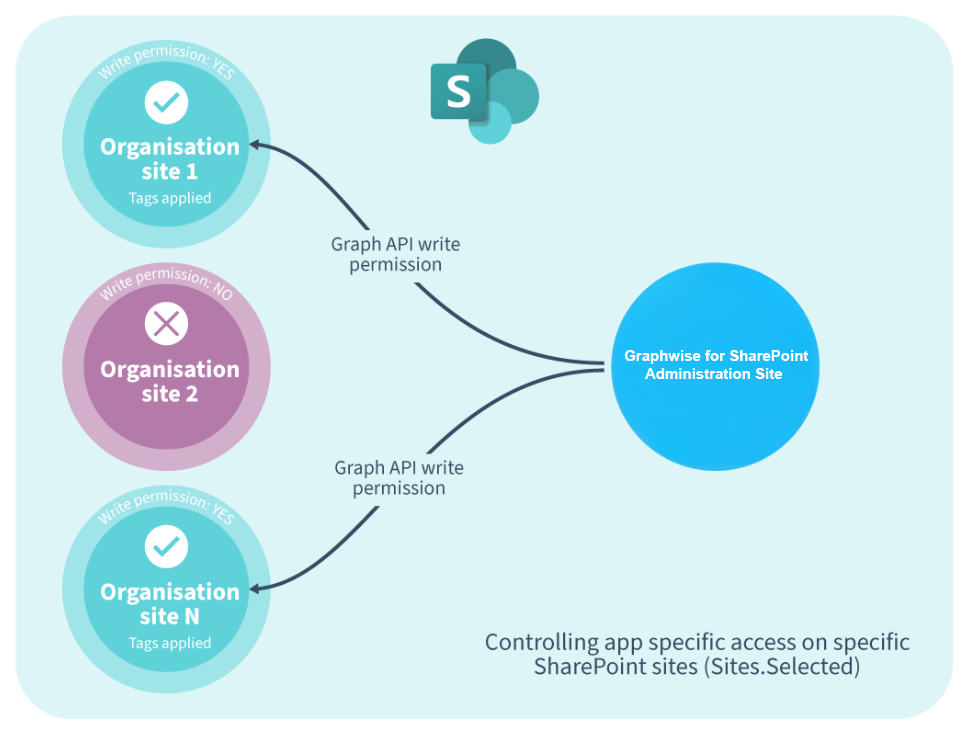 |
You can grant this permission using a Microsoft Graph API call or from the Graphwise for SharePoint Administration application once a library or list on that site has been connected to a Graph Modeling taxonomy.
To grant site permissions using a Microsoft Graph API call:
Replace the
sitesIdvalue with the ID of the site to which you want to grant access to the Graphwise for SharePoint Administration application.Replace the
idvalue with the Application (client) ID for the Graphwise for SharePoint Administration application in Microsoft Entra ID.
For detailed instructions on how to grant site permissions with a Microsoft Graph API call, refer to the Microsoft Graph documentation.
A library or list on the site is connected to a Graph Modeling taxonomy. For more information, refer to Connecting a Library or List.
It has been enabled in the SharePoint admin center.
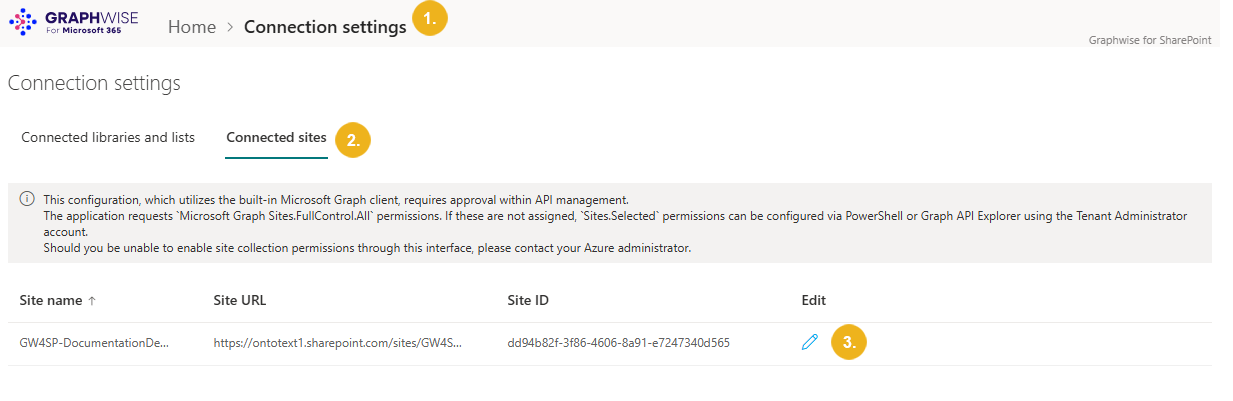
On the page with Graphwise for SharePoint Administration, select Connection settings.
Go to the Connected sites.
Select the pencil icon for the site you want to configure permissions for.
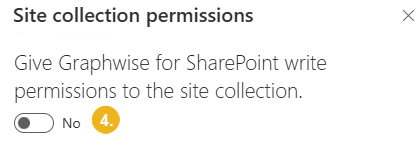
The Site collection permissions pane opens.
Use the Give Graphwise for SharePoint write permissions to the site collection toggle to grant or revoke permissions.