How to Handle Warnings Resulting from an Ontology Edit?
How to Handle Warnings Resulting from an Ontology Edit?
The Warning  sign means that the custom ontology used in the Graph Modeling project was edited and Graph Modeling detected this change. The Graph Modeling project data might be inconsistent. This is because Graph Modeling detected an edit in the custom ontology. If a class was edited in the custom ontology but it is not used in the Graph Modeling project, the edit is still found and the Warning is being shown.
To find out if the change had an impact on your Graph Modeling project, do the following:
Go to your Graph Modeling project and click on theDetails View, Quality Management. The Data Validator opens.
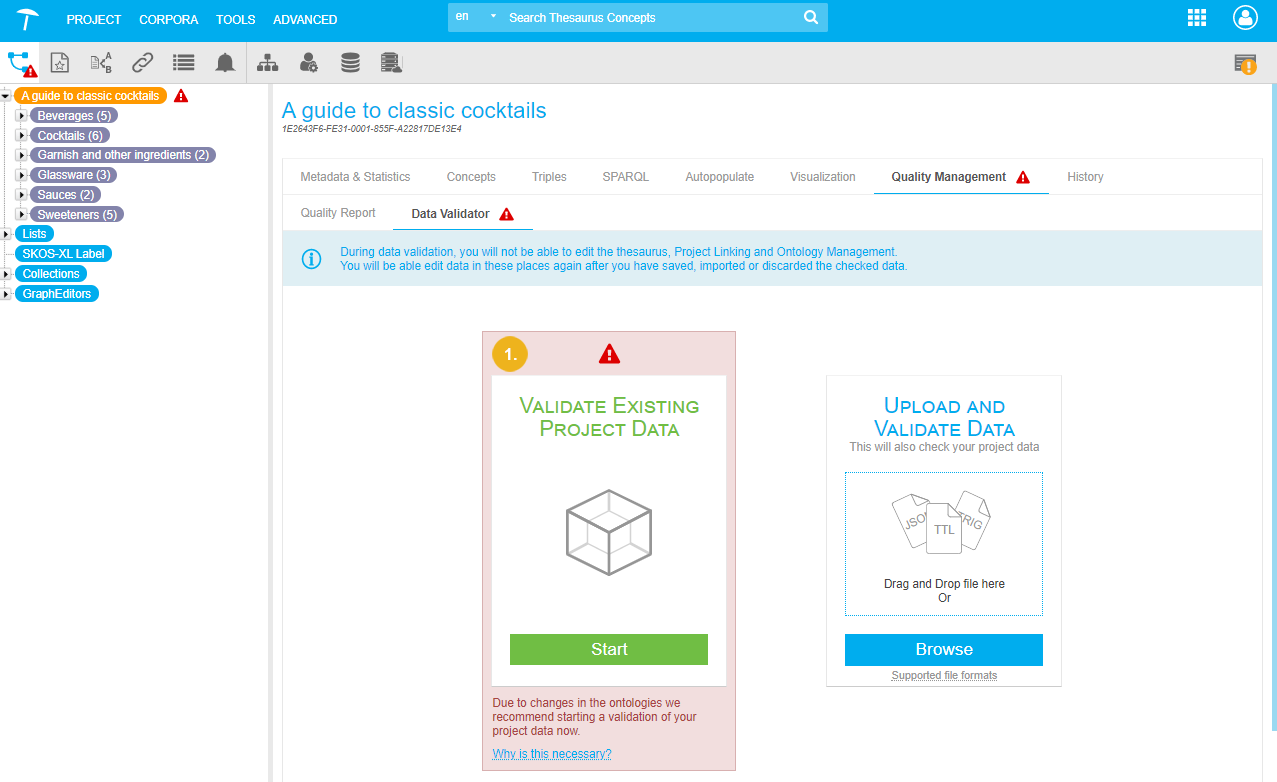
Start the Data Validator. It carries out several checks. The checks the Data Validator performs can take some time as it shown here.

Savethe results even if all results returned as approved.
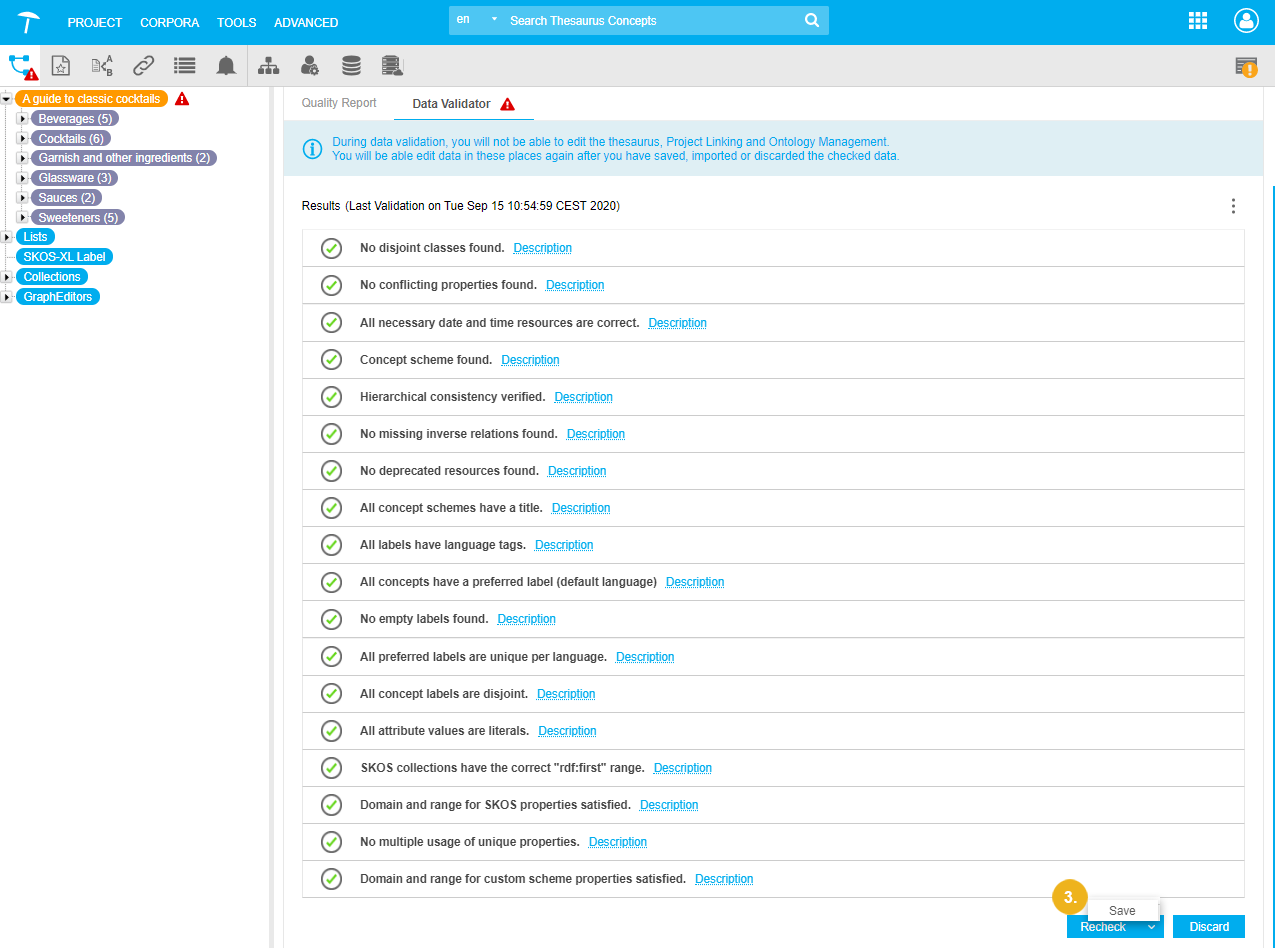
The In Scheme and Custom Class Reasoning infers class assignments and adds them to the data. This is the reason why you should save the data.