Export Corpus Documents
Abstract
Export Corpus Documents
This section contains a short guide on how to export corpus documents.
You can export corpus documents from Graph Modeling in order to be able to use them on other instances or installations or share them.
Prerequisites to Export the Corpus Documents from Graph Modeling
An open Graph Modeling project and thesaurus.
Steps to Export Corpus Documents
After you have opened the Corpus Management in Graph Modeling, follow these steps:
Select the corpus you want to export documents from. Right-click its node and from the context menu select Export Documents.
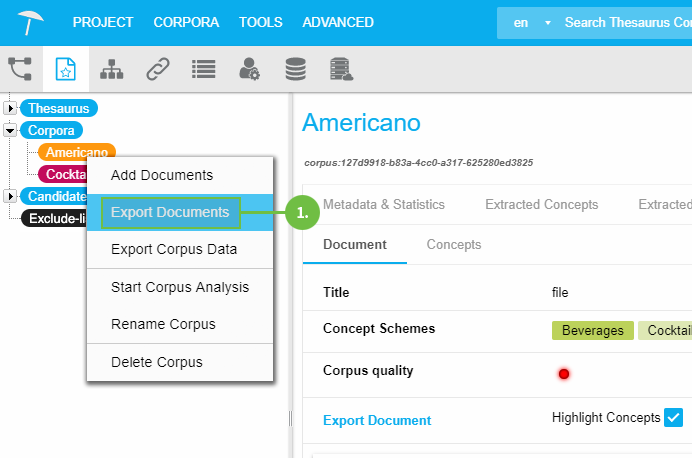
The default Save As dialogue of your respective browser will open for you to save the file to a location of your choice.
Note
Graph Modeling will export all attached documents to a .zip file per default. This cannot be changed.