How to Access the Graph Modeling Notifications Tree
See our step-by-step guide on how to access the Graph Modeling Notifications Tree in the Notifications Dashboard.
The Notifications Tree in Graph Modeling is displayed when you have accessed the Notifications Dashboard.
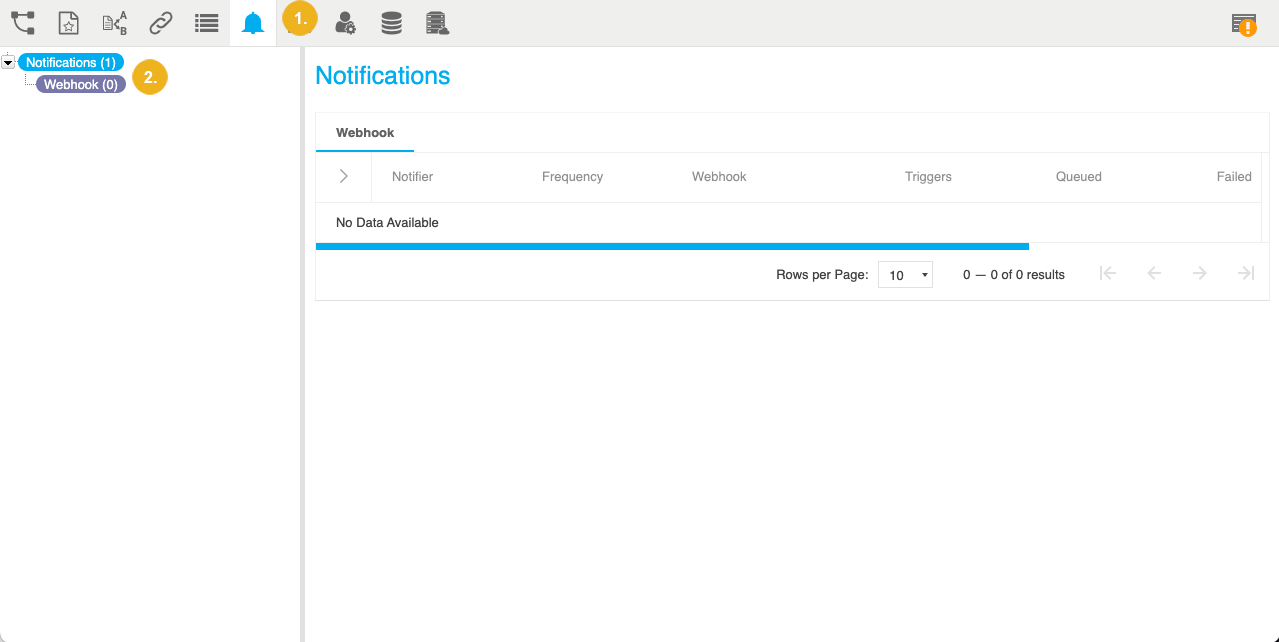
In your opened Graph Modeling project, open the Notifications Dashboard by clicking its icon in the toolbar.
On the left you now find the Notifications Tree, with the parent node Notifications and below it the Webhook node. Small numbers in parenthesis display the number of configured notifications.
Note
Notifications are project dependent in Graph Modeling, so what you see here depends on the project you opened.
It contains the following nodes:
Notifications (opens by default): in the Details View to the right you will see a list of all notifications that have been configured for that project and their statistics. Here you can expand trigger settings and edit them for each notification.
Webhook: so far Graph Modeling provides webhook HTTP callbacks, so this node will display all notifications below it that you configured for this project. From here you can also access additional editing options for each.