Graph Modeling 10.2 Installation Guide
26/03/2026
This guide shows how to do a fresh installation of Graph Modeling (formerly PoolParty) for both development and production environments via Docker compose.
Tip
While this guide focuses on Docker compose, Helm charts are also available for deploying Graph Modeling 10.2 and higher on a Kubernetes cluster. You can find the official chart here.
Note
If you already have PoolParty 9.7 installed, consult the PoolParty 2025 R2 (9.7) to PoolParty 10 Migration Guide instead of this one. If you are installing a clean new version of Graph Modeling 10.2 instead of upgrading but using existing Keycloak, Elasticsearch, or Spark instances, the Migration Guide has helpful information for that.
The most up-to-date version of these instructions is available in the github compose-files project's README.md file, titled Docker compose file for Graph Modeling (formerly PoolParty). This document will help you navigate the README to find what you need.
Graph Modeling uses Docker to automate the installation of the configured set of components that make up the selected bundle. These components include Keycloak, Elasticsearch, Spark, Nginx, and GraphDB.
You can perform this installation from the Linux command line or, using the Docker Desktop, on macOS or Windows.
Important
Please note that due to rebranding of our software suite the names PoolParty and Graph Modeling are alternatively used in this guide for version 10.2 and higher. The image files continue having PoolParty reference in their designations.
The introduction to the README file also describes the Docker commands used to start up or shut down services. For a simple development environment Graph Modeling setup, the startup command may be as simple as this:
docker compose up -d
As this runs, it will display messages as it starts the various services. When complete, it will return to your command line prompt.
Note
When running the installation, the error message "Bind for 0.0.0.0:nn failed: port is already allocated" (where nn is a port number), means that the Docker installation process is trying to assign something to a port that is already used by another service. Use the appropriate operating system tool to find which service is using that port. If you can't unset that one, you can change the port being used by Graph Modeling in the docker-compose.yaml file.
You can add additional configuration files on the docker compose command line. For example, the following uses the production.yaml file included with the github compose-files project to add in the PostgreSQL service used by Keycloak:
docker compose -f docker-compose.yaml -f production.yaml up -d
Note
To learn more about running a development configuration of Graph Modeling without Keycloak, see the Development section of the README file.
You can configure the use of an external Spark service by by adding the spark.yaml file from the github project to the command line with appropriate settings:
docker compose up -f docker-compose.yaml -f spark.yaml up -d
To deploy the services that complement Graph Modeling 10.2, you can use the addons.yaml file with the -f parameter in that command line. This file includes the Application Development Framework (ADF), the Semantic Workbench services, GraphViews, UnifiedViews, and the Mirror App.
Warning
Your Graph Modeling license must have the Semantic Workbench capability in order to use this service. Before starting the services, copy the nginx configuration files from files/nginx/addons to files/nginx/includes/extra_includes. These will expose the service through nginx on the /ADF, /SemanticWorkbench, /GraphViews, /UnifiedViews , and /PoolParty/mirror context paths.
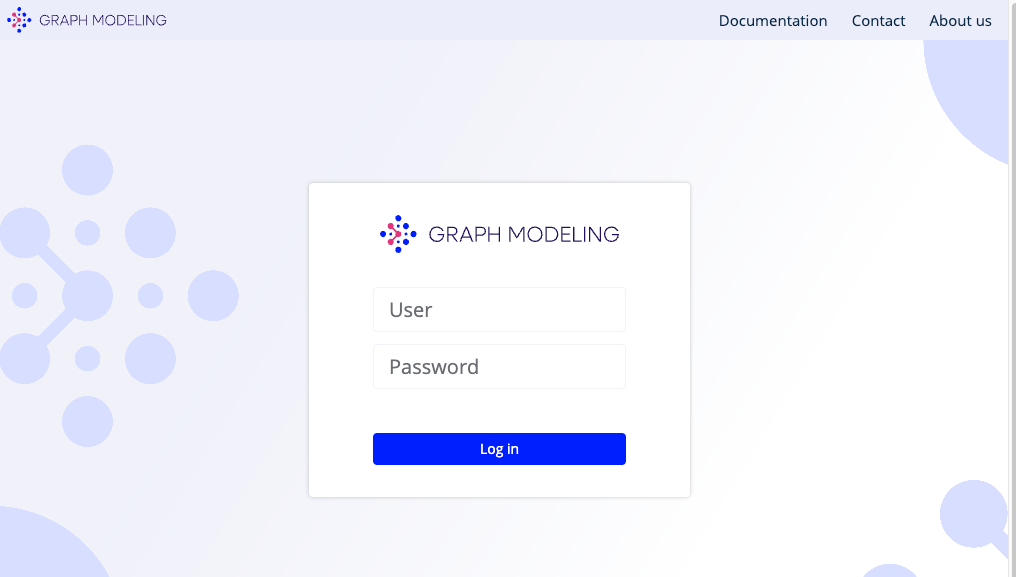
Once the docker compose up command finishes, you can confirm that you have installed Graph Modeling by sending your browser to http://poolparty.127.0.0.1.nip.io/PoolParty, which will display this:
Note
nip.io is used here because it is an easy DNS service to use for demos like this. For anything else other then local development or testing, you would need a real DNS name that resolves to the machine where PoolParty is deployed.
On the screen shown above, log in with the user name superadmin and the password poolparty. Once you log in, it will have you create a new password.