How to Access the GraphEditors Node
This section provides a guide on how to access the GraphEditors node and functionality in Graph Modeling.
Note
You need project editing permissions in order to be able to use the GraphEditor function, which corresponds to the PoolPartyUser role.
Open an existing Graph Modeling project.
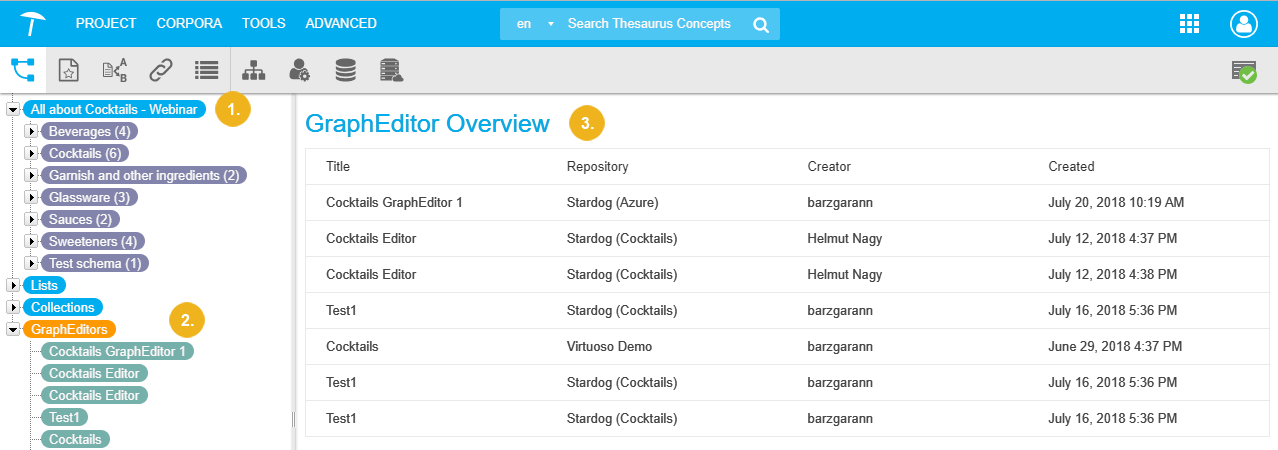
Find the GraphEditors node at the bottom of the available nodes in the Hierarchy Tree.
Expand it and find the list of available editors in the Details View on the right.
 |
In order to create a graph editor, refer to this topic: How to Create a Graph Editor - Overview