Delete a User Group
Abstract
Users in the PoolPartySuperAdmin role can delete user groups in Graph Modeling. Follow our step-by-step guide to learn more.
Users in the PoolPartySuperAdmin role can delete user groups in Graph Modeling. For more information on the PoolPartySuperAdmin role, see User Roles in Graph Modeling.
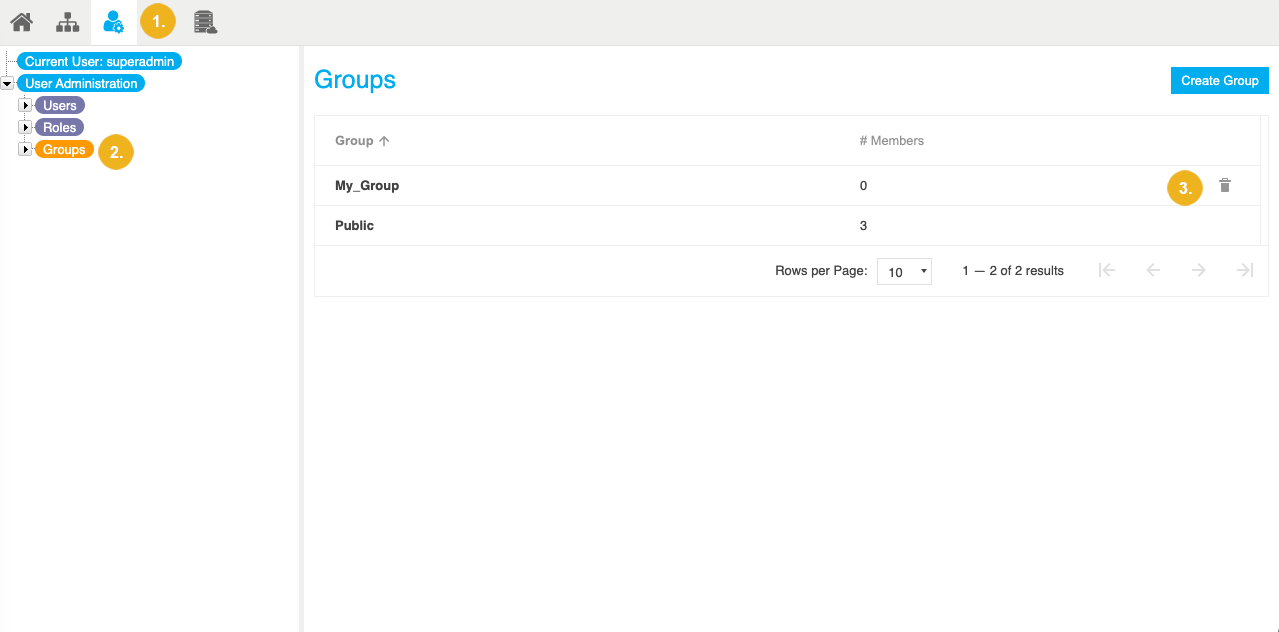
Open the User Management using the icon in the toolbar.
Select the Groups node in the User Administration tree on the left.
In the Details View on the right, you find a list of all existing user groups for this Graph Modeling instance.
Select Delete next to the user group you want to delete.
Note
You cannot delete the user group Public. For more information, see User Groups in Graph Modeling.
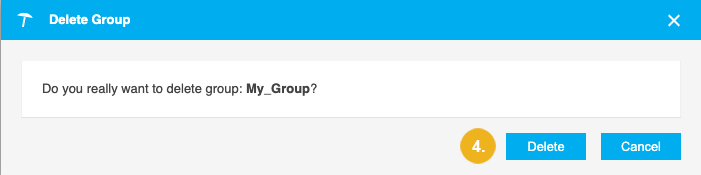
The Delete Group confirmation message opens.
Confirm with Delete.