Rename a Corpus
Abstract
Rename a Corpus
This section contains a short guide on how to rename a corpus you created in your Graph Modeling project.
Steps to Rename a Corpus
After you have opened the Corpus Management in Graph Modeling, follow these steps:
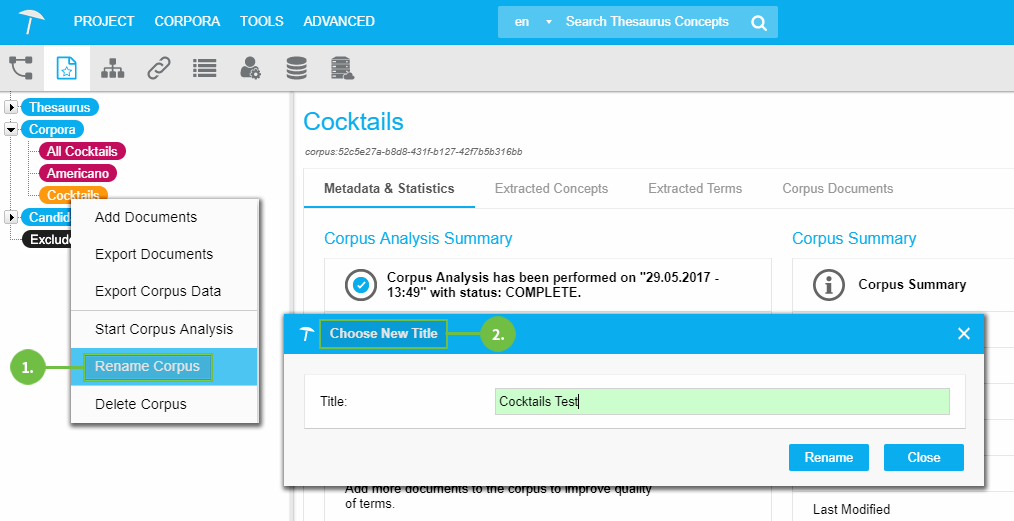
Select the corpus you want to rename. Right-click its node and from the context menu select Rename Corpus.
The Choose New Title dialogue will open. Enter the new name into the Title field and click Rename to confirm.