Delete a Webhook Notification
Abstract
If you want to delete a webhook notification in Graph Modeling, start in the Notifications Dashboard. Check out our user guide to see the whole flow.
In Graph Modeling deleting existing notifications works from inside the Webhook node in the Notifications Dashboard, by using the context menu of the respective notification.
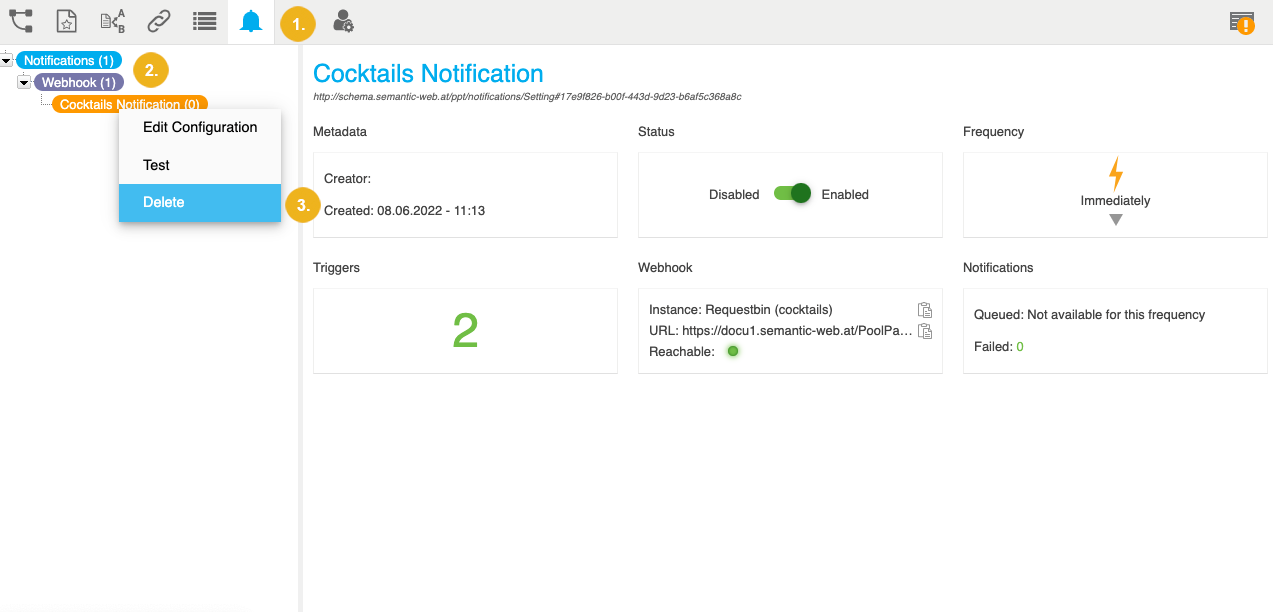
In your opened Graph Modeling project, open the Notifications Dashboard by clicking its icon in the toolbar.
Expand the Webhook node in the Hierarchy Tree on the left. Find the node representing the notification that you want to delete.
Right click that node and from the context menu, select Delete.
The notification gets deleted.