Error Handling Strategy
02/07/2026
GraphRAG version 1.2.0
GraphRAG implements a layered error handling strategy with six levels:
Applies to: All active workflows (currently only Main).
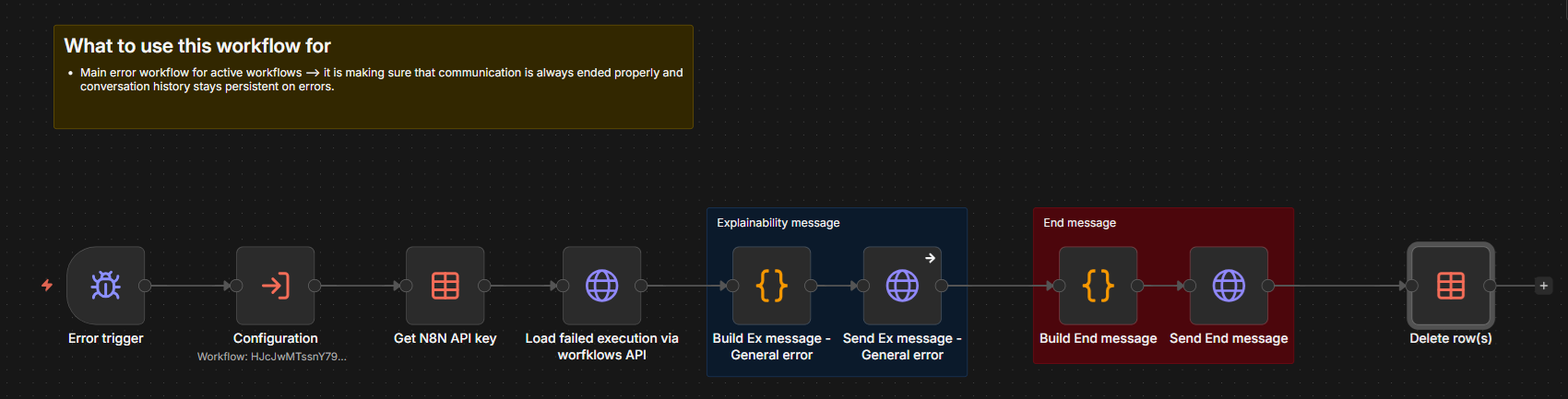
Actions: Catch error → send EXPLAINABILITY message with error description → send END message → delete any parallel step data from PARALLEL_SYNC_DATA.
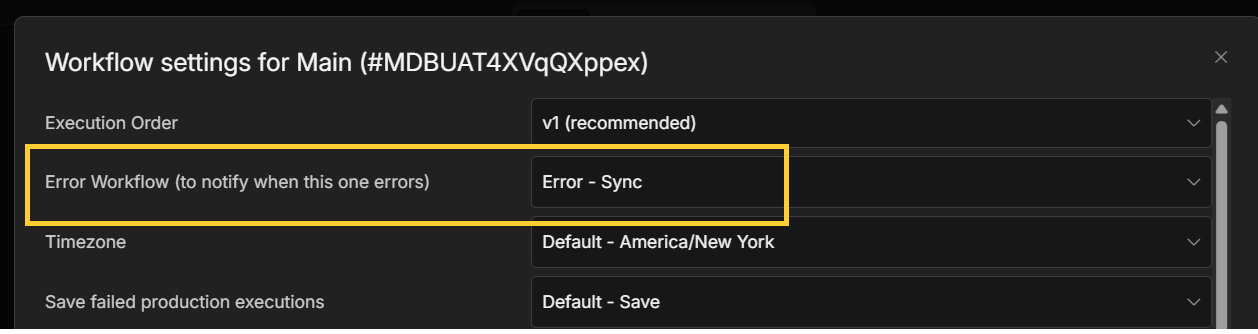
Implementation: Configured via the Main workflow. Select Settings from this workflow's ... menu, and then on the Settings dialog box select the Error Sync workflow from the drop-down list of this dialog box's Error Workflow field:
The Error Sync workflow mentioned above:
You can set a workflow's error workflow from from its Workflow Settings dialog box.
Applies to: All sub-workflows implementing parallel step invocation.
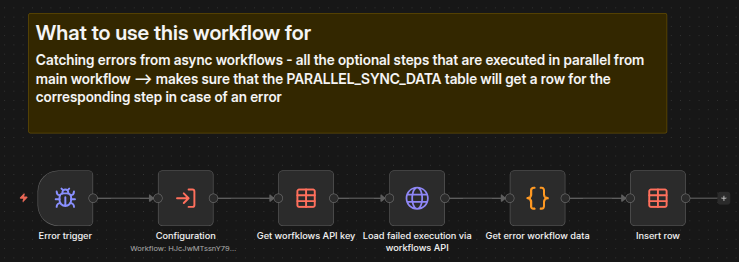
Actions: Catch error → add error row to PARALLEL_SYNC_DATA for the corresponding step → Main flow continues.
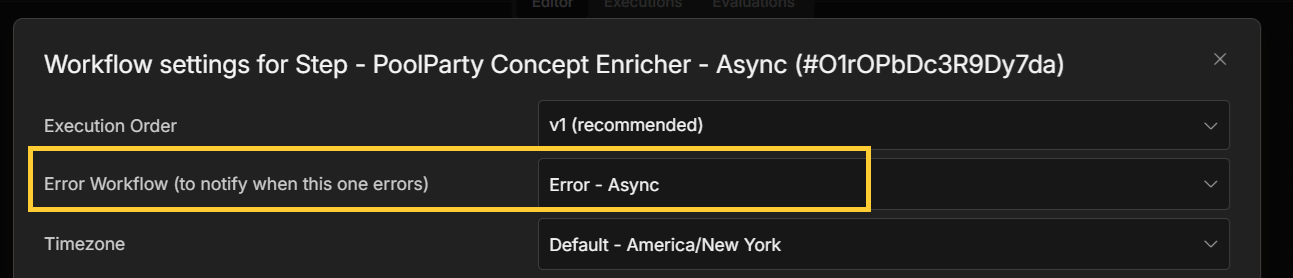
Implementation: Configured per workflow. Select Settings from this workflow's ... menu and then on the Settings dialog box select the Error Workflow that you want to use from the drop-down list with the Error Workflow field. The logic is already implemented in Error - Async workflow, and if new parallel workflows are crested then Error - Async has to be specified as the default workflow.
In the corresponding workflow → Setting the Error Workflow:
As a workflow - Error - Async:
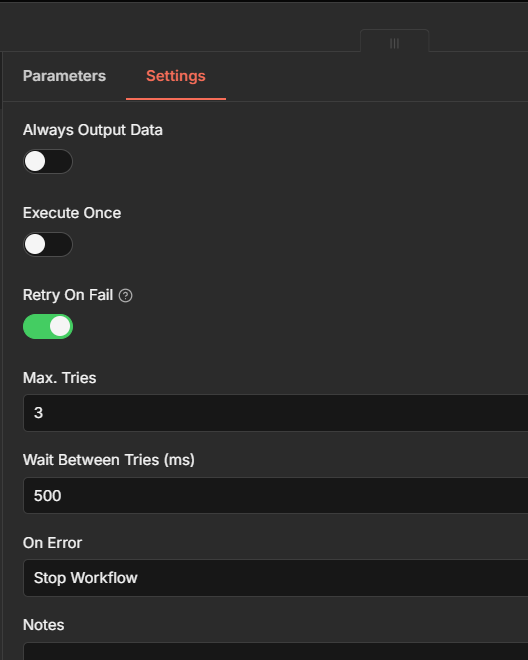
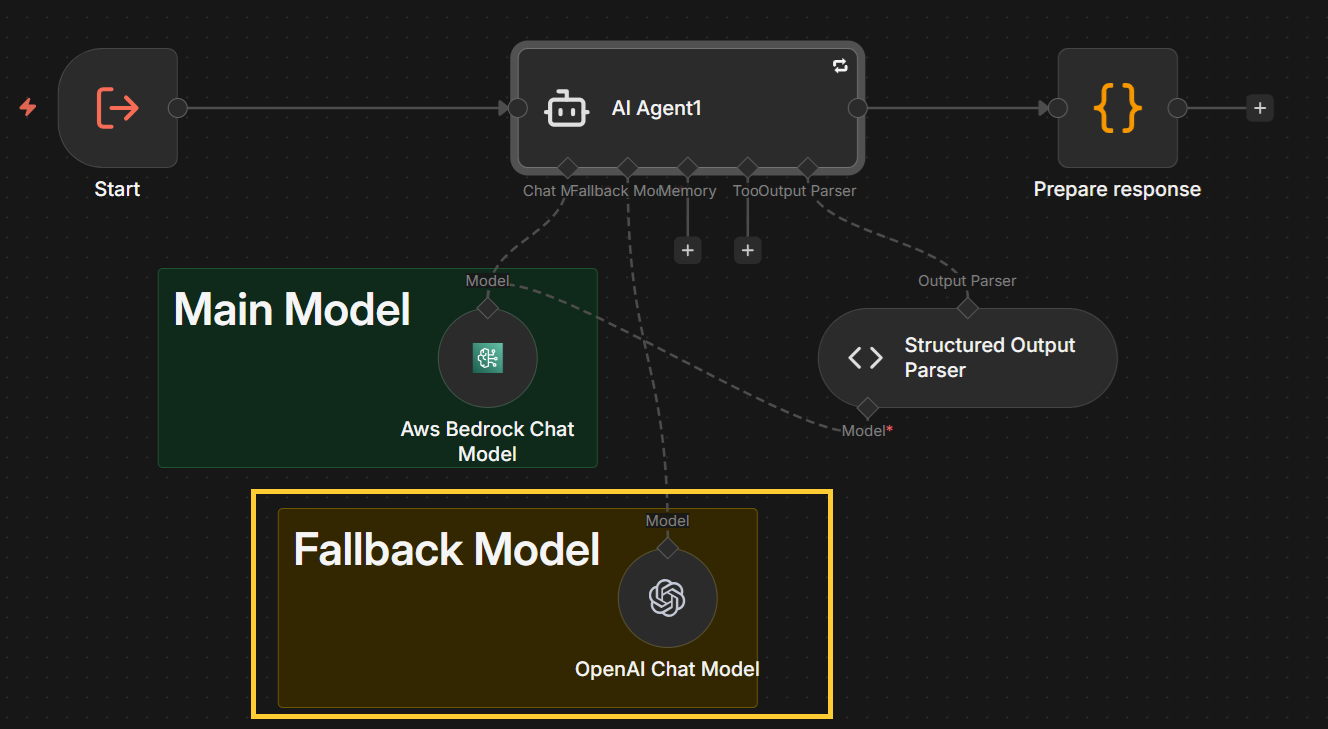
Applies to: All optional steps.
Setup: Uses Continue (using error output) option on the node’s On Error setting. Allows alternative flow paths.
Action: context specific.
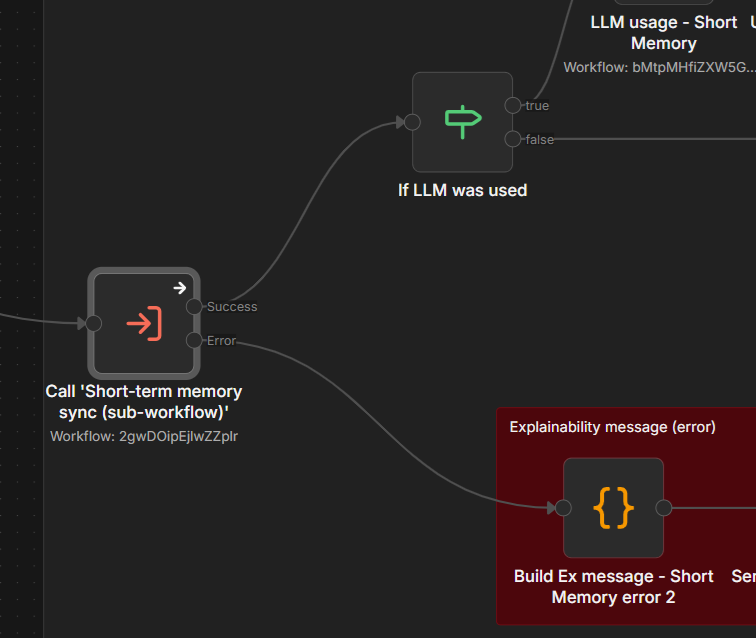
In the example of error flow management below, we see that if Call 'Short-term memory sync (sub-workflow)' executed successfully, control gets passed to the If LLM was used node, but if there was an error in its execution, control is passed to the Explainability message (error) node in the lower right.
 |