Concept Details - Add a Concept to the Exclude-list
21/07/2026
This section contains a short guide on how to add a concept to the Exclude-list from its Details View.
The Exclude-list in Graph Modeling serves to exclude concepts you add to it from the extraction process. Details find in this topic: Add Concepts and Terms to Exclude-list
Follow these steps to add a concept to the exclude-list using the Details View button:
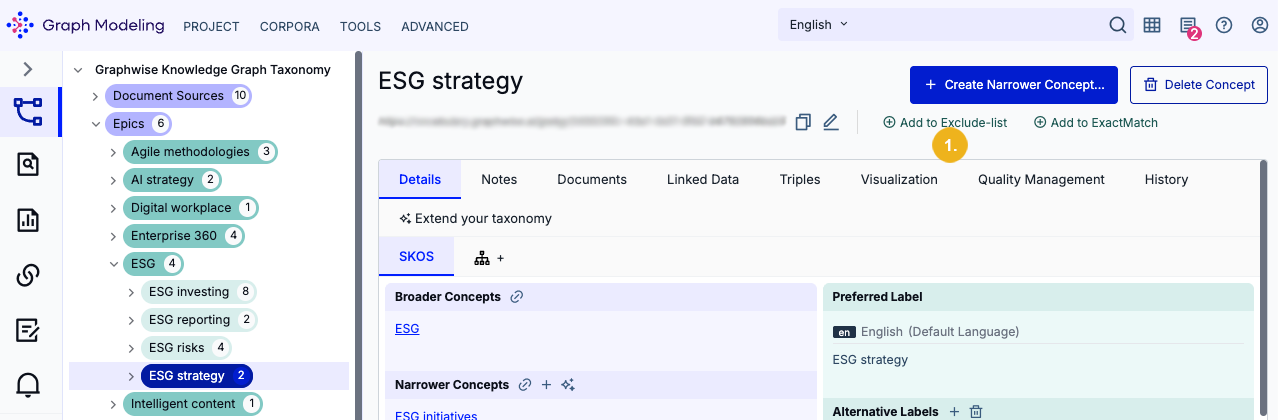
In the Concept Details View, click the Add to Exlude-list button (1).
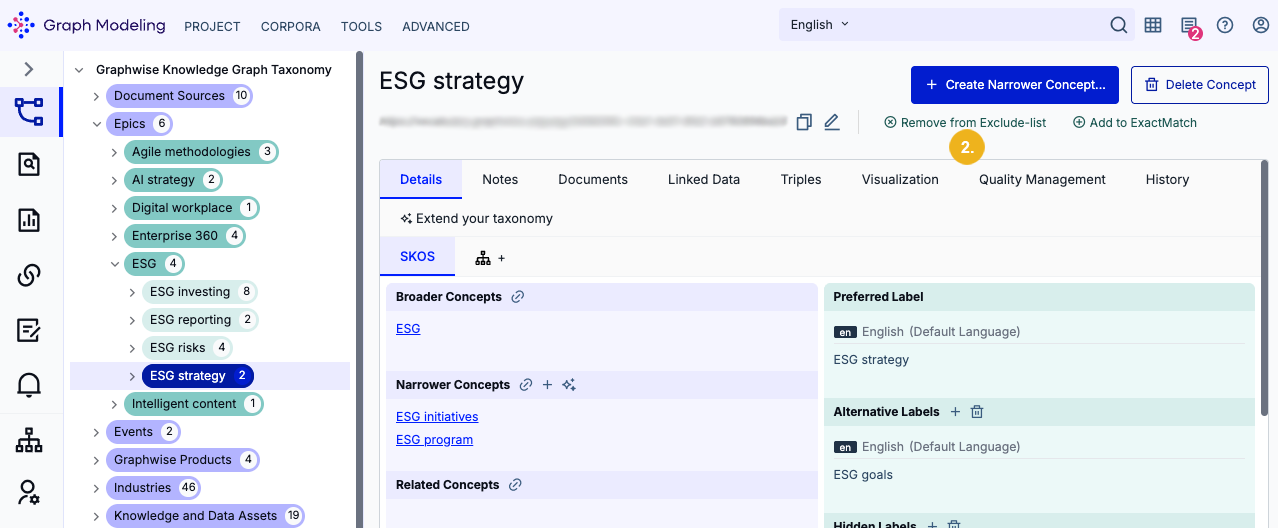
The button changes its icon and text to Remove from Exclude-list (2). Select this button to remove the concept from the exclude list at any time.
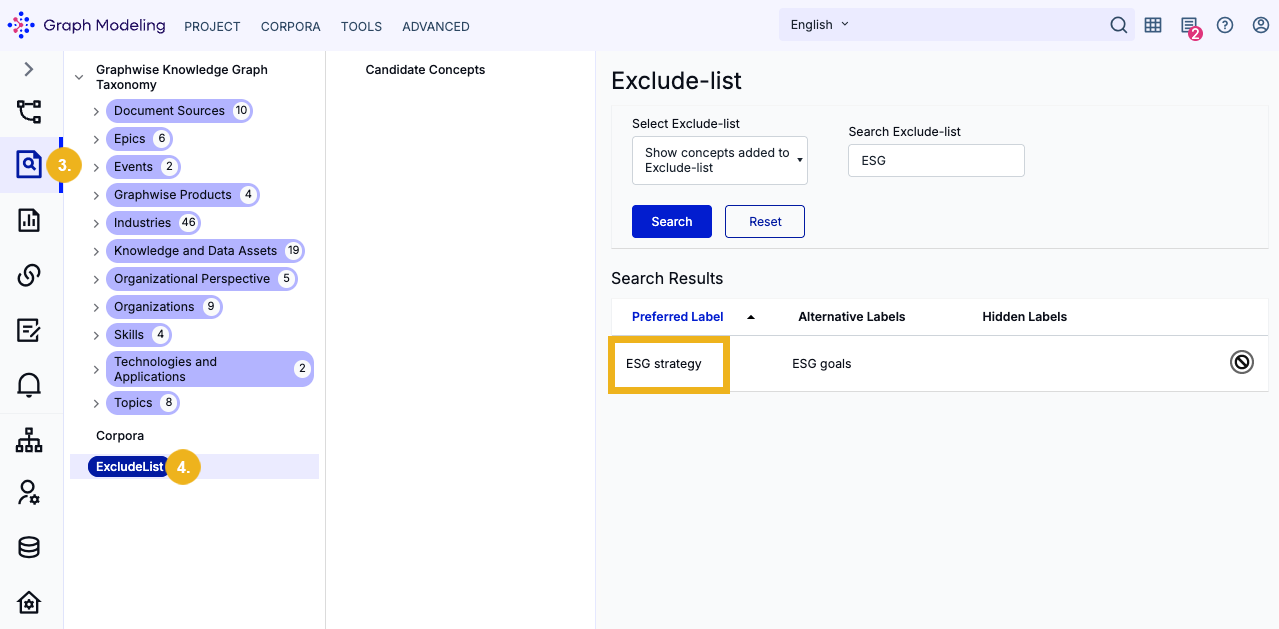
Open the Corpus Management (3) to find the Exclude-list node (4) and the concept you just added to the exclude list. You can find details about using the Exclude-list here: Access the Exclude-list - Available Options.