Setting Up A Mirror App Configuration
04/05/2026
This page summarizes how to set up a basic Mirror App configuration in the Semantic Middleware Configurator (SMC).
Log in to the Graph Modeling application.
Navigate to the Semantic Middleware Configurator tab (1).
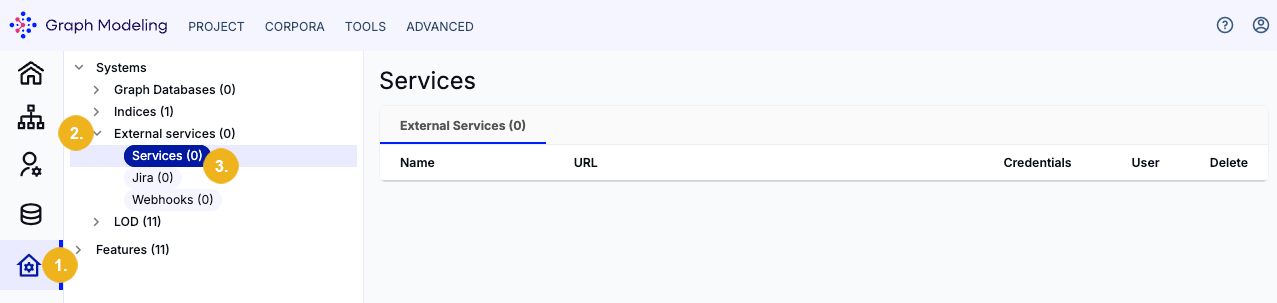
Expand the External services node (2) to view its child nodes.
Double-click the Services child node (3) to open a new dialog window.
In this configuration dialog, set the following parameters:
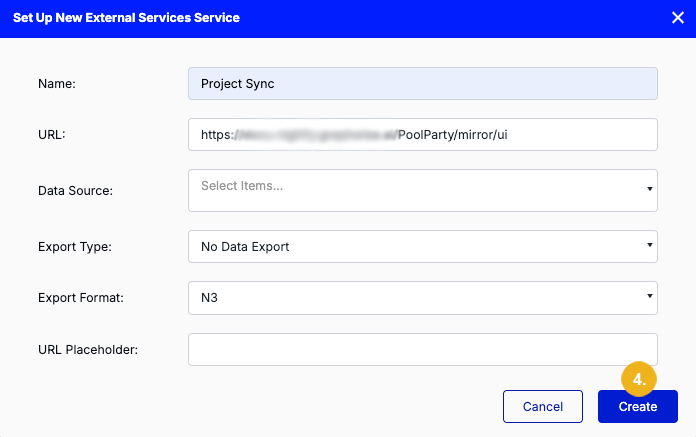
Name: Project Sync (or a name of your choice)
URL:
https://<server>/PoolParty/mirror/uiwhere<server>is the server running your Graph Modeler instance.Export Type: No Data Export
Click Create (4) when you are done.
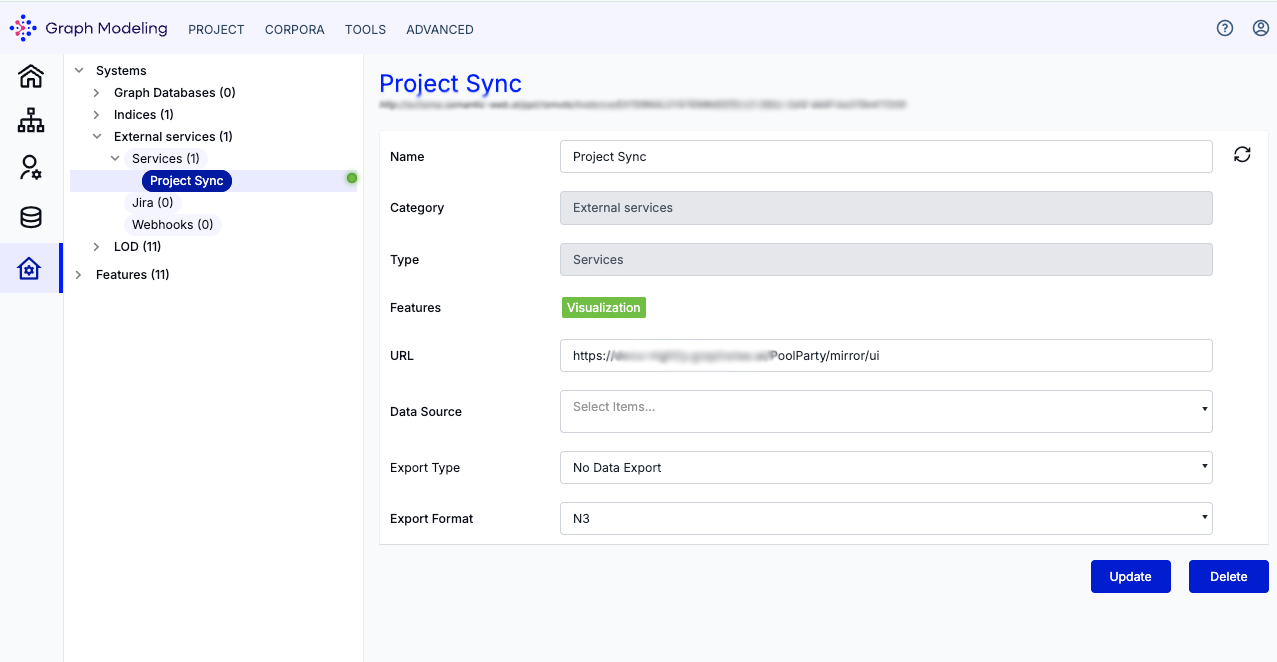
Your active Mirror App configuration now appears in the SMC under the name Project Sync. A green status icon next to it indicates that the service has been set up correctly.
Note
A red status icon indicates an invalid configuration which needs to be checked.
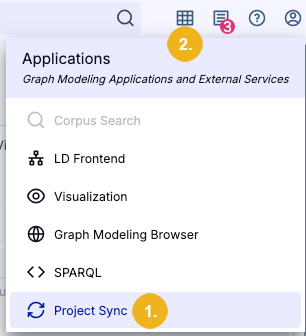
After having successfully configured the Mirror App you will be able to see Project Sync (1) underneath the Applications menu (2) when viewing an open Graph Modeling project.
Tip
For more information on how to mirror a project, refer to How to Mirror a Project with the Mirror App in the Graph Automation chapter.