The Graph Modeling Frontend
Graph Modeling offers a frontend for easy access to your thesauri.
Note
As of version 10.2, PoolParty has been rebranded to Graph Modeling. Despite our diligent efforts to maintain updated screenshots, some images from previous versions may appear in this section. We appreciate your patience during this transition.
The Graph Modeling frontend is divided into two main parts:
The Graph Modeling Browser provides the following functions:
Provides the possibility to publish your thesauri according to the linked data principles defined by W3C.
How to Access the Graph Modeling Frontend
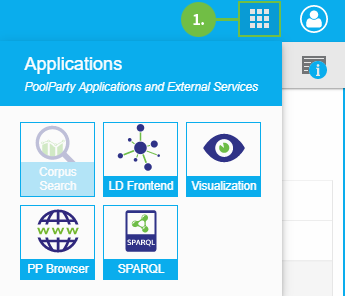
Access the Graph Modeling Browser by clicking PP Browser in the Menu Button (1) of the project's Details View.
For projects with URIs you can open the Linked Data Frontend by clicking the LD Frontend button in the project's Details View.
Alternatively you can call the identifier (URI) of the concept scheme or concept in the address bar of your browser. It is displayed as a link in the Details View of the concept or concept scheme.
Note
The Linked Data Frontend is only available for Public projects.
You can define options for the Graph Modeling frontend, such as the accessibility of the Wiki frontend or information to be displayed in the Linked Data Frontend, by using the Graph Modeling Server Configuration. You can find a detailed description of the configuration options for the Graph Modeling frontend in the Administrator Guide.