Access the Graphwise Semantic Classifier
This section provides a short guide about accessing the Semantic Classifier.
The following has to be in place in order for you to be able to use the classifier:
Your Graphwise product bundle includes the Semantic Analytics component and the Semantic Classifier add-on is enabled.
You have opened a Graph Modeling thesaurus project.
Steps for Accessing the Semantic Classifier
Open your Graph Modeling thesaurus project.
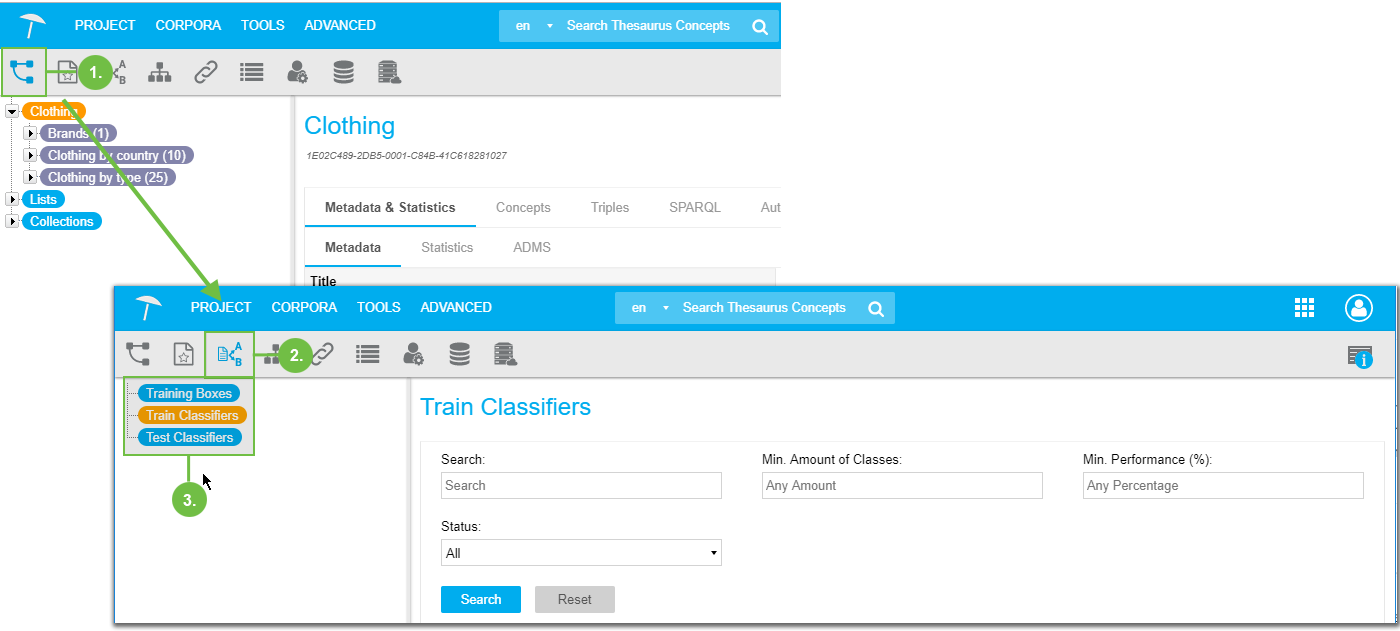
In the toolbar find the Semantic Classifier icon and click it.
When you first access the Semantic Classifier, the nodes will be displayed without any entries as shown in here. On the right the Train Classifiers node will be selected.
 |