Access User Groups in Graph Modeling
Users in the SuperAdmin role can view and manage user groups in Graph Modeling. For more information on the SuperAdmin role, see User Roles in Graph Modeling.
Open the User Management by clicking its icon in the toolbar.
Select the Groups node in the User Administration tree on the left.
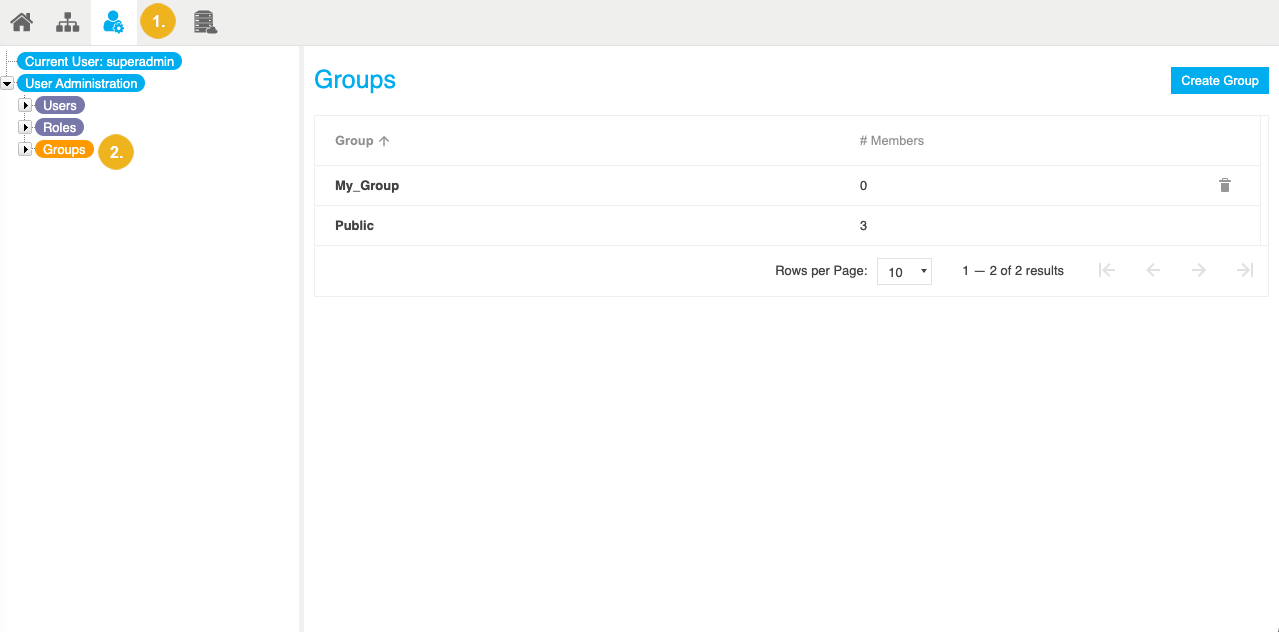
In the Details View on the right, you find a list of all existing user groups for this Graph Modeling instance.
Note
For more information on how to assign a user to a group, see How to Edit Existing Users.