User Administration - Details View
User Administration - Details View
This section contains a short guide on the Details View of the User Administration node.
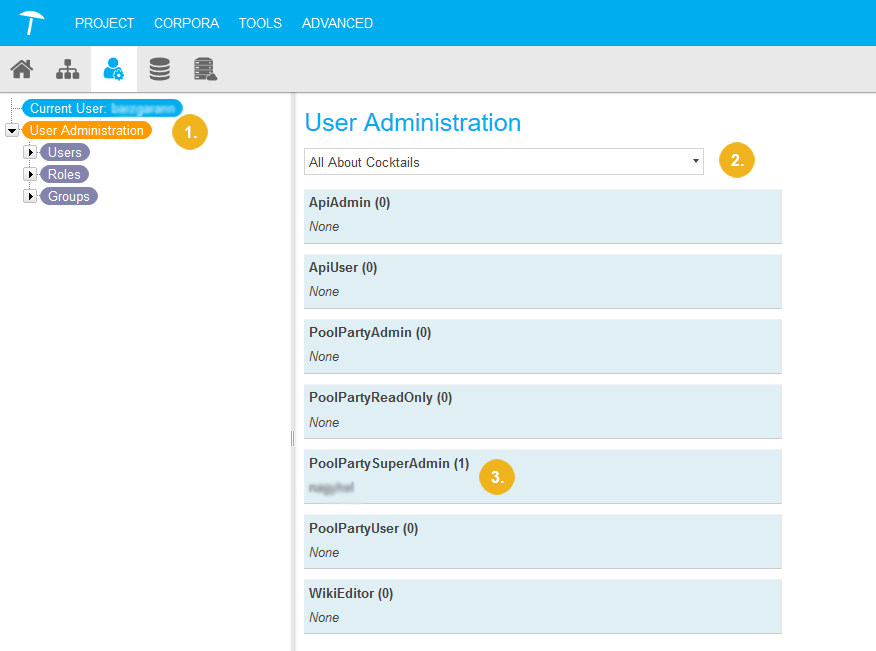
After you have opened the User Administration node (1) in Graph Modeling, the Details View on the right provides a short overview of users with specific roles per project, ordered by Graph Modeling user roles.
You see a drop down (2) that shows all available projects for that Graph Modeling instance. By default the first project in alphabetical order that exists on the server will be selected.
Beneath the drop down all Graph Modeling user roles are listed. Behind each of them a number indicates (3), how many users with project specific roles with that role exist for the project you selected.
This way you can quickly check on project specific user roles and their distribution among users of a project.
 |