Graph Modeling User Administration Setup Using Keycloak
09/06/2026
Graph Modeling User Administration using Keycloak is where you can configure the way users access Graph Modeling. You can also manage local users directly from the Graph Modeling UI. You can create user groups and assign users to them. You can also assign user roles to specify what different users and user groups can see and do. A group is a set of users who share a common purpose. Assign every user to at least one group. Administrators can assign roles quickly to multiple users by adding the users to the group.
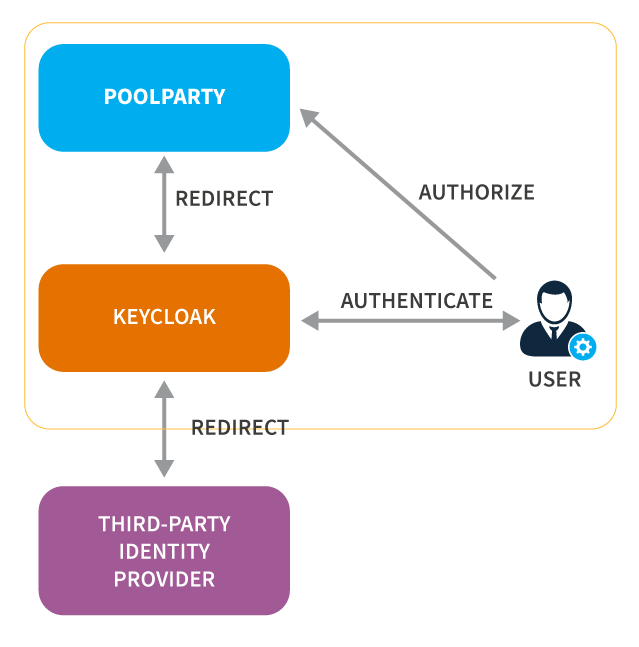
In the diagram below, you can see a simplified workflow of what happens when a user signs in and requests authorization access to Graph Modeling. Graph Modeling receives their request and forwards it to Keycloak. Depending on the configuration, Keycloak can authenticate directly or it forwards the request for third-party authentication. After a successful authentication the user is signed in. For more information on setting up and managing users in Graph Modeling, refer to Graph Modeling Federated User Management.
To configure local users and groups refer to our guide on Graph Modeling Access Management.
Note
As of version 10.2, PoolParty has been rebranded to Graph Modeling. Despite our diligent efforts to maintain updated screenshots and graphics, some images from previous versions may appear in this section. We appreciate your patience during this transition.