Configuration Process
10/09/2026
Graphwise for Adobe Experience Manager 1.0
This section outlines how to configure a taxonomy and perform both full and incremental syncs. A full sync establishes the baseline required for future incremental syncs. Expand the sections below for detailed instructions.
Use the following steps to configure the connector.
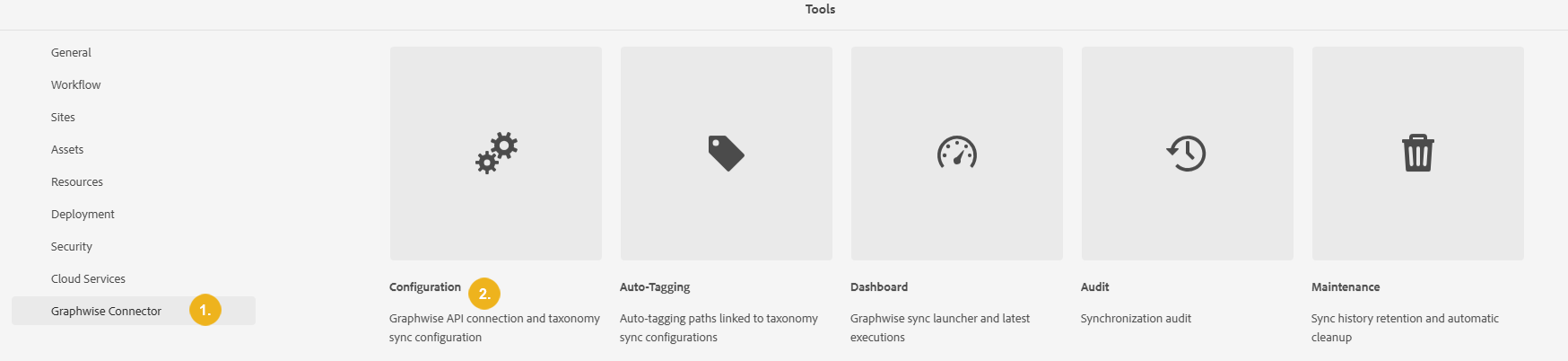
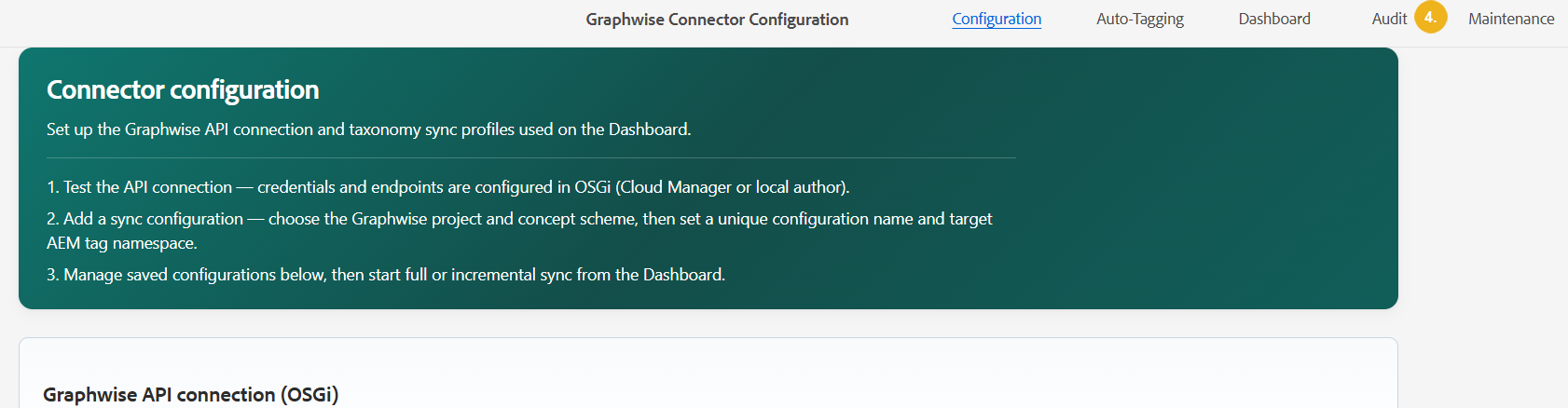
In Adobe Experience Manager (AEM), select Tools, then Graphwise Connector (1) and then Configuration (2).
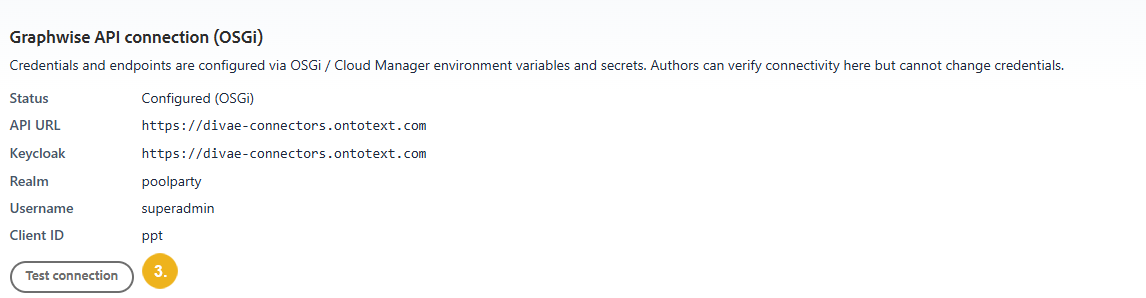
Run Test Connection (3).
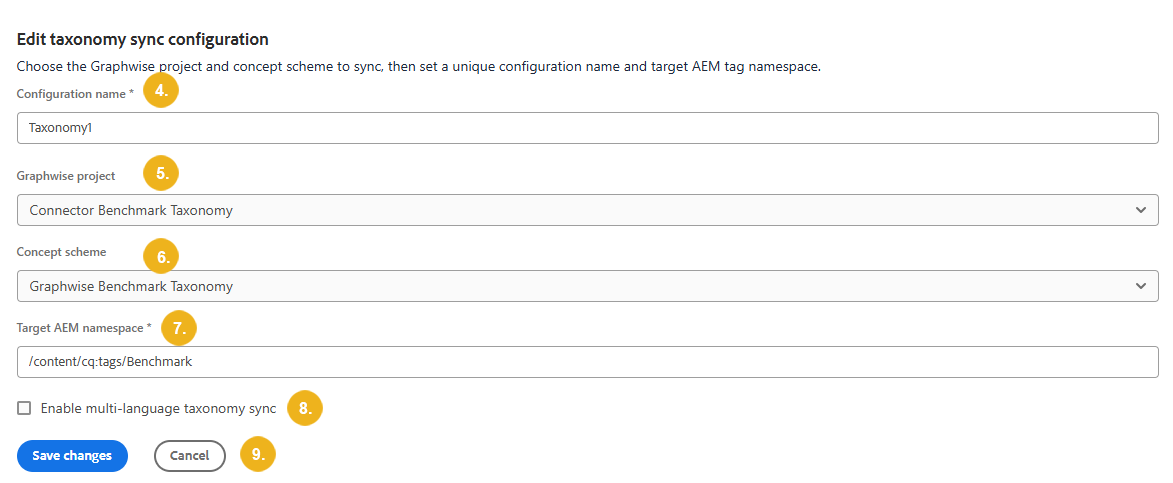
Set a unique Configuration name (4).
Choose your Graphwise project (5).
Select the Concept scheme (6).
Set a target AEM tag namespace (7).
Select Enable multi-language taxonomy sync (8) to synchronize taxonomy terms across multiple languages.
Select Save changes or Cancel (9).
View all saved configurations at the bottom of the page. From there, you can Edit or Delete (10) a configuration.

Once the taxonomy configuration is complete, perform an initial full synchronization to synchronize the entire taxonomy. Follow the steps below to start the full sync.
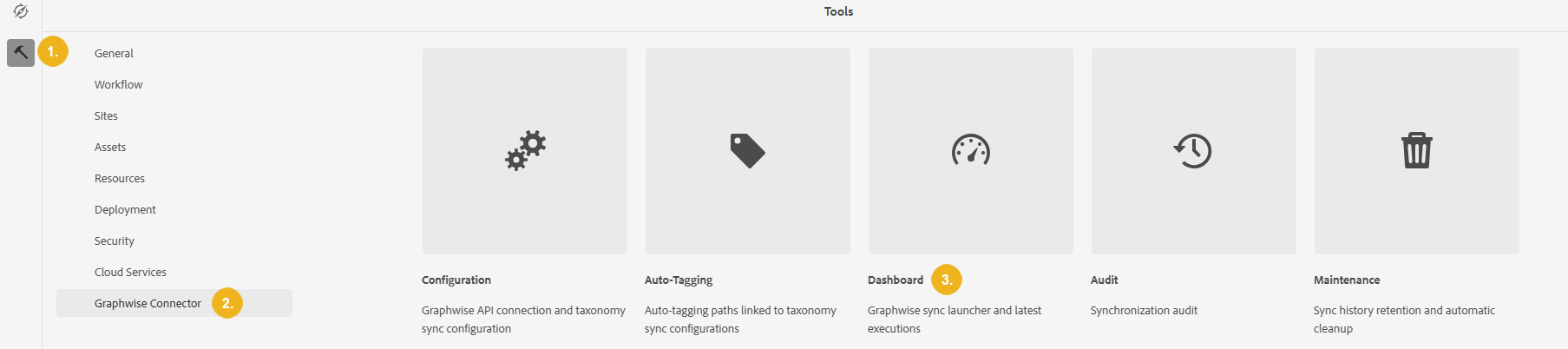
Go to Tools (1), then Graphwise Connector (2) and then Dashboard (3).
Under Run configuration, select the taxonomy from the Sync configuration list, then select Full sync from the Mode list.
Note
The sync runs as a Sling job on author, you close the page and it keeps running.
Important
A full synchronization reconciles the AEM tag root with Graphwise and removes concepts that no longer exist. Do not map synchronizations to tag roots that contain manually maintained tags.
Select Start sync.
To view results, select Audit (4) from the upper-right menu, then locate the run in the list or use the filters to narrow the results.
Select View Details in Recent Activity to open the Execution details panel at the end of the page.

Note
You can download a CSV file in the Execution details to view the changes report.