Creating Non-Hierarchical Relations by Drag and Drop
18/09/2026
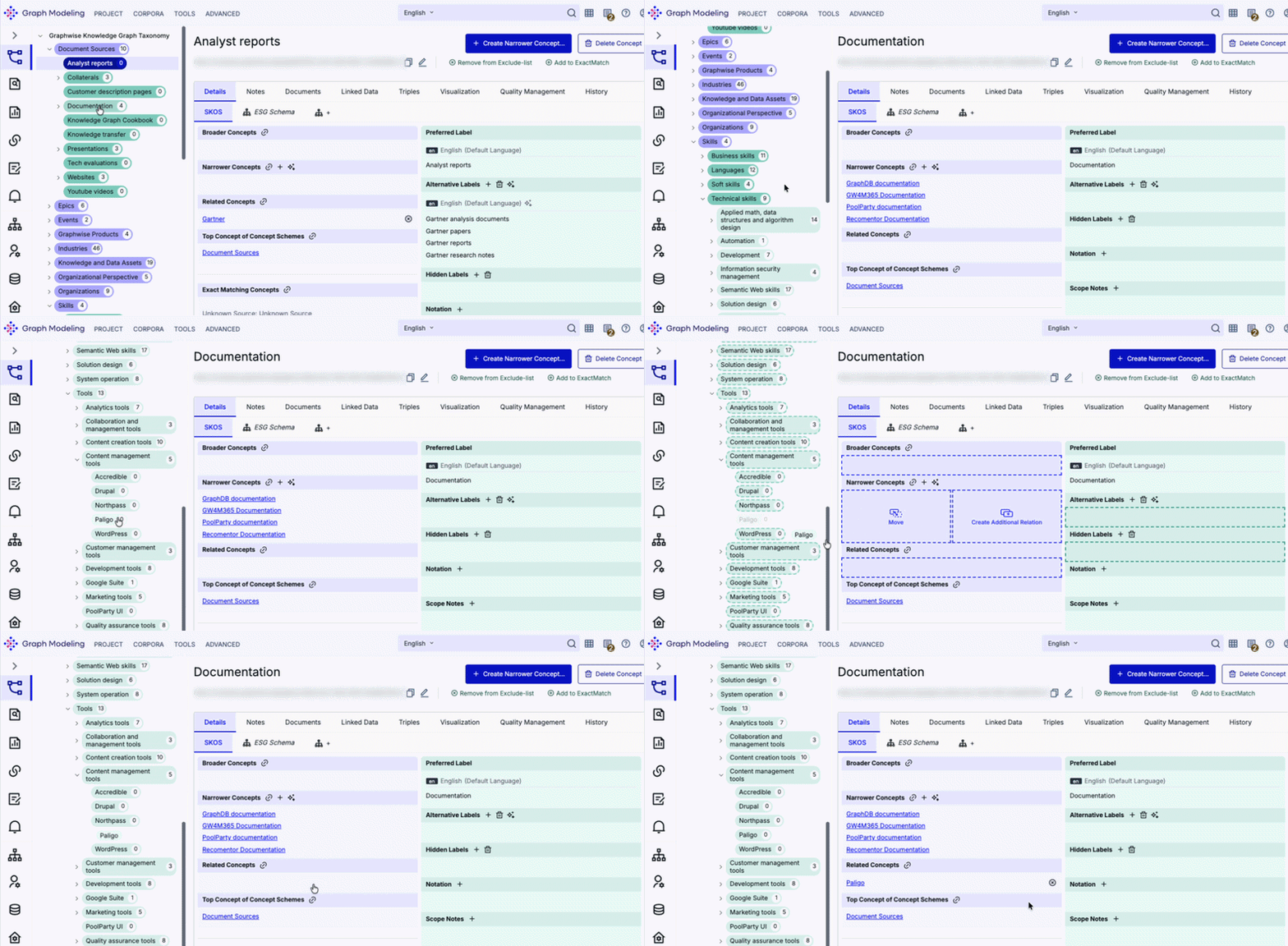
Graph Modeling allows you to use drag and drop to easily create associative relationships between concepts.
Note
In SKOS, skos:related creates a non-hierarchical, associative link between two concepts, while skos:broader and skos:narrower build parent-child vertical hierarchies. For more information on how to move manage hierarchical relationships between concepts, refer to Moving Concepts and Creating Additional Relations by Drag and Drop.
To add a skos:related relation between two concepts:
Open one of the concepts in the taxonomy tree to open its Details View.
Drag the other concept from the tree into the open concept's Related Concepts section.
Note
This operation only applies to top concepts and concepts (skos:Concept) since concept schemes (skos:ConceptScheme) function as containers.