Connector Audit
16/09/2026
Graphwise for Adobe Experience Manager 1.0
The Connector Audit provides a complete history of concept synchronization and auto-tagging activity. Use it to review past executions, inspect detailed results, and export reports for troubleshooting, validation and auditing purposes.
You can use the following filters to find specific runs or types:
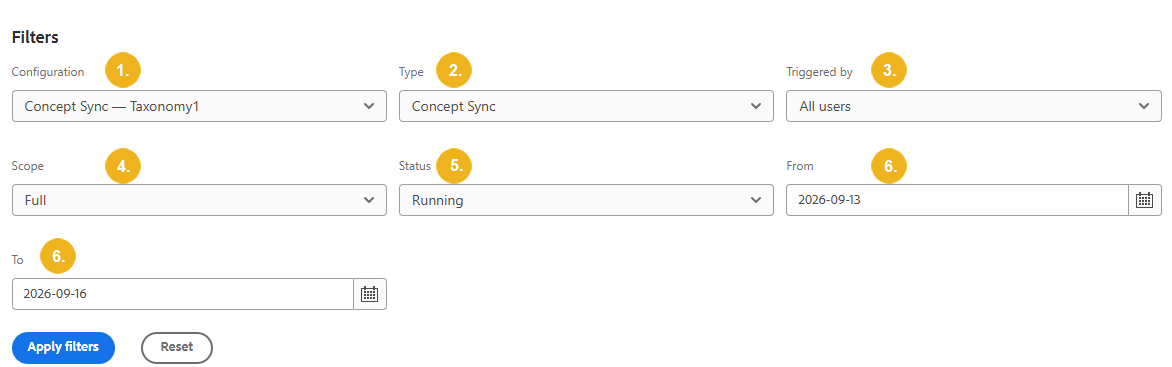
Configuration (1) : Select the taxonomy configuration you to want to view.
Type (2) : Choose between Concept sync, Auto tagging and All types.
Triggered by (3) : Choose a specific user, Scheduler or All users.
Scope (4) : Choose between Full sync, Incremental sync or All scopes.
Status (5) : View runs based on their current or final execution status.
From and To (6) : Select the start and end dates for the history you want to view.
When you find a run you want to inspect, select View details to display its details or the information in the Execution details pane. You can also download a CSV report to review the changes made during the run.
Important
Run history is automatically purged based on configured retention settings. By default, history is retained for 90 days and up to 500 runs per configuration, though these limits can be adjusted in Tools → Graphwise Connector → Maintenance.