Creating a Concept Using DBpedia Autocomplete
24/11/2026
When the Enable AutoComplete from DBPedia setting is configured, you will get suggestions from DBpedia whenever you create a new concept and begin typing into the text field.
DBpedia suggestions are depicted with this icon  in the autocomplete drop down.
Note
Select a suggestion from DBpedia and the concept will be created. Additionally, the respective DBpedia resource is added to the concept as a skos:exactMatch.
Based on your DBpedia autocomplete settings, alternative labels and definitions are retrieved from DBpedia as well.
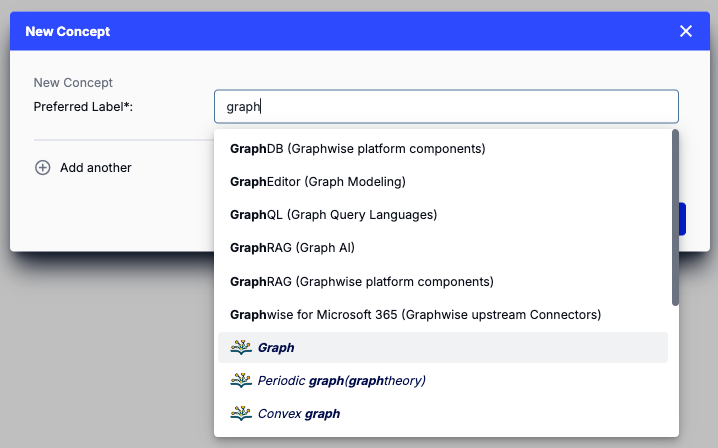
The image above shows suggestions for already existing concepts in the project, in addition to the DBpedia suggestions. Adding another link to a pre-existing concept in the thesaurus creates a polyhierarchy.